 Photinerary
Sky Forecast, alerts and summaries
The week ahead read the way a photographer reads it, alerts for your own spots, and a briefing each morning.
The Sky Forecast tool
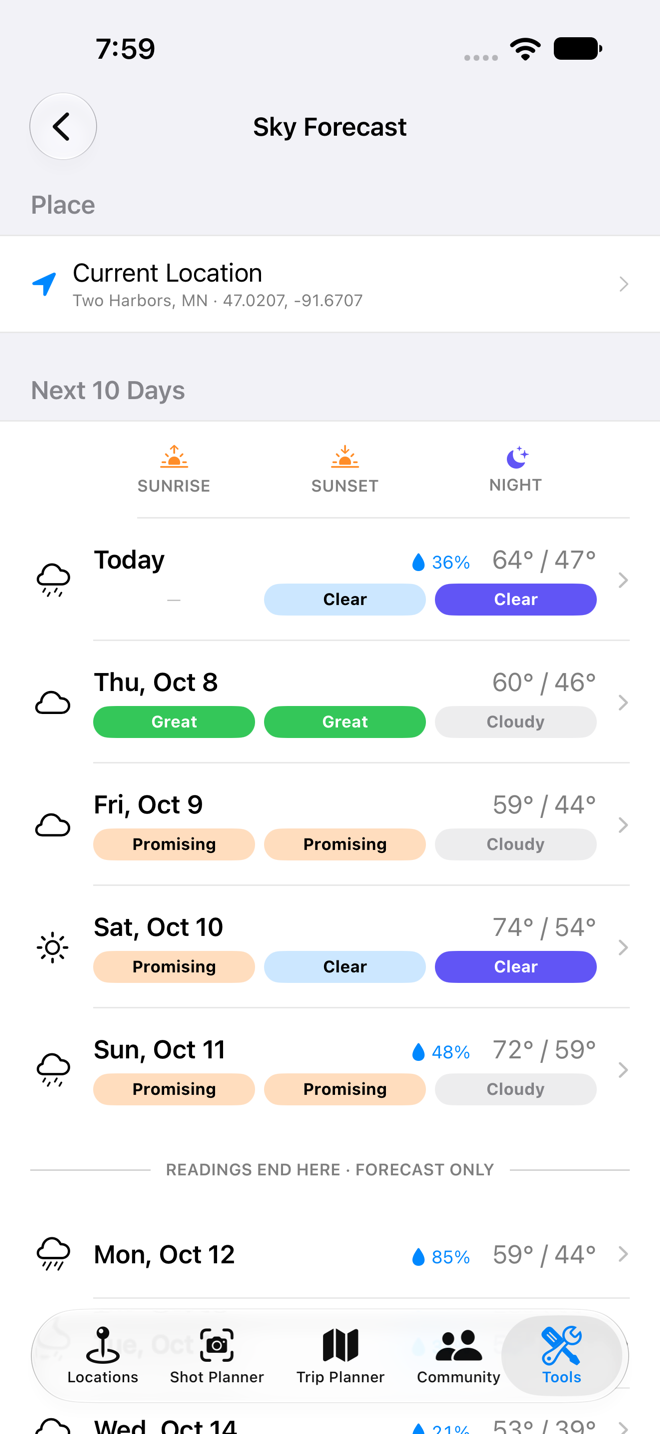
- Open Tools › Sky Forecast. It starts at your location; choose another place under Place.
- The week list shows each day's weather and, for the next five days PRO, three readings: sunrise color, sunset color, and the night.
- Tap a day for the detail: each reading with its reasons, the clear window that night, and the weather Hour by Hour.
The plain forecast (cloud, rain, temperature, wind) is included for everyone. The readings are Pro. Weather data comes from Apple Weather.
Reading the readings PRO
Sunrise and sunset color
- Great
- High or mid cloud overhead to catch the light, and a clear path toward the sun for it to come through. The setup for a sky that lights up.
- Promising
- Some of that is in place, but not all: thinner canvas, or some low cloud toward the sun.
- Clear
- Little or no cloud. A clean sky with soft color near the horizon, but not a fiery one.
- Poor
- Low cloud or overcast blocking the light, or rain.
Color depends on cloud you can't see from where you stand: the sun has to shine under the clouds overhead from beyond your horizon. So each sunrise and sunset reading also checks the forecast 50 and 150 km toward the sun. Every reading lists the reasons that decided it, such as how much high cloud there is overhead, or low cloud toward the sun.
The night
- Clear & dark
- A clear window while the sky is fully dark and the moon is down. Good for the Milky Way and stars.
- Moonlit
- Clear, but a bright moon is up during the darkness. Good for moonlit landscapes, not for faint stars.
- Cloudy
- No useful clear window.
- No darkness
- The sky never gets fully dark, as near midsummer at high latitudes.
Night readings also warn about dew and wind that could spoil long exposures.
Readings appear five days ahead, once the cloud forecast is worth planning around. Beyond that the plain forecast is still shown.
Readings on your trips and shots PRO
Any trip stop or planned shot within five days shows the reading for its moment: sunrise color for a sunrise stop, the night for a night stop. If a night stop is before the sky clears, it says so.
Location alerts PRO
Set an alert on a saved place and hear the evening before (or two evenings before) when it's forecast to have colorful sunrise or sunset, a clear dark night, fresh snow or morning fog. Step-by-step: Alert me when.
Daily Summaries
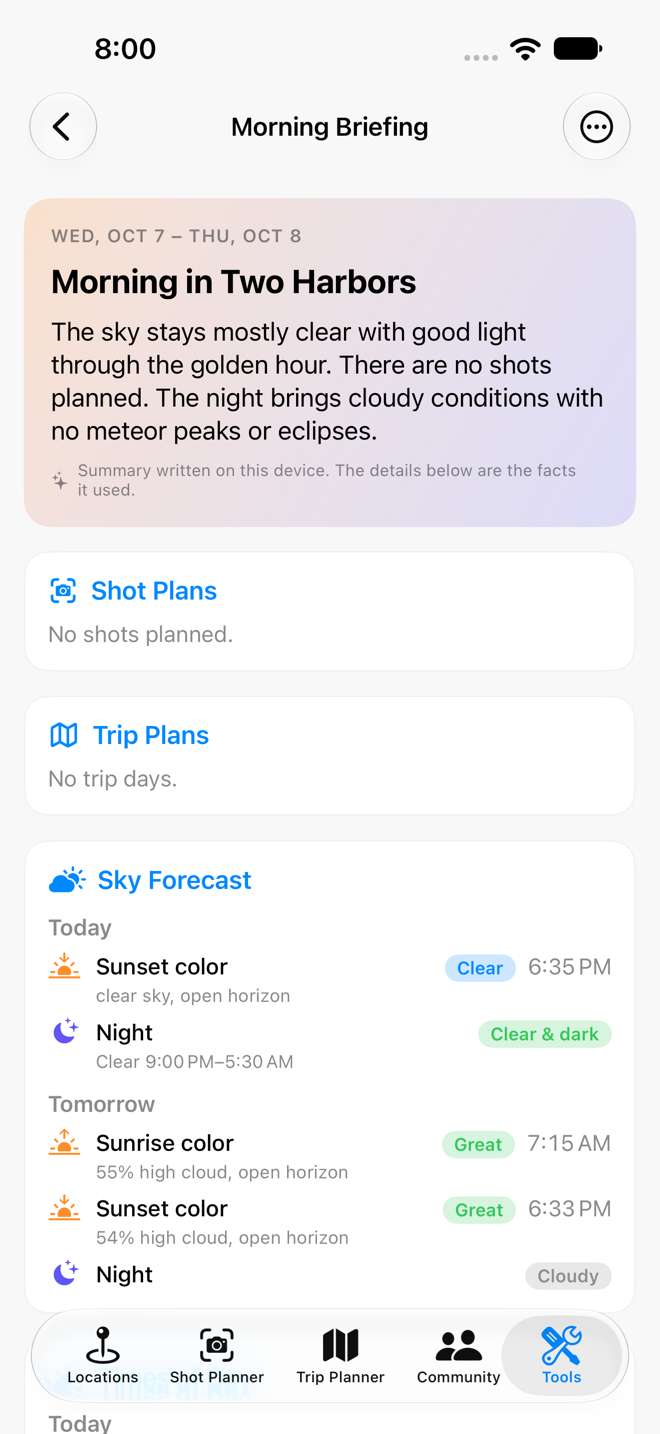
A Daily Summary is a briefing that arrives as a notification at the time you choose, and opens to a report of the days ahead.
- Open Tools › Daily Summaries and tap New Summary.
- Name it, and leave Send this summary on.
- Under What it covers, choose Today, Tomorrow, or Several days (two to seven, starting today).
- Under When it arrives, set the time and tap the days of the week you want it.
- Under Sections, turn sections on or off and drag them into the order you like: Shot Plans, Trip Plans, Times of Day, Sky Forecast PRO, Moon, Night Sky and Goals PRO.
- Tap Save. Use Preview Now to see a report immediately, or Send Test Notification to check notifications work.
On devices with Apple Intelligence, a short headline and overview at the top are written on your device from the report's facts. Every time, forecast and plan below it comes from the app's own calculations. Without Apple Intelligence the overview is assembled from the same facts.
Summaries are kept per device, so each of your devices can have its own schedule.